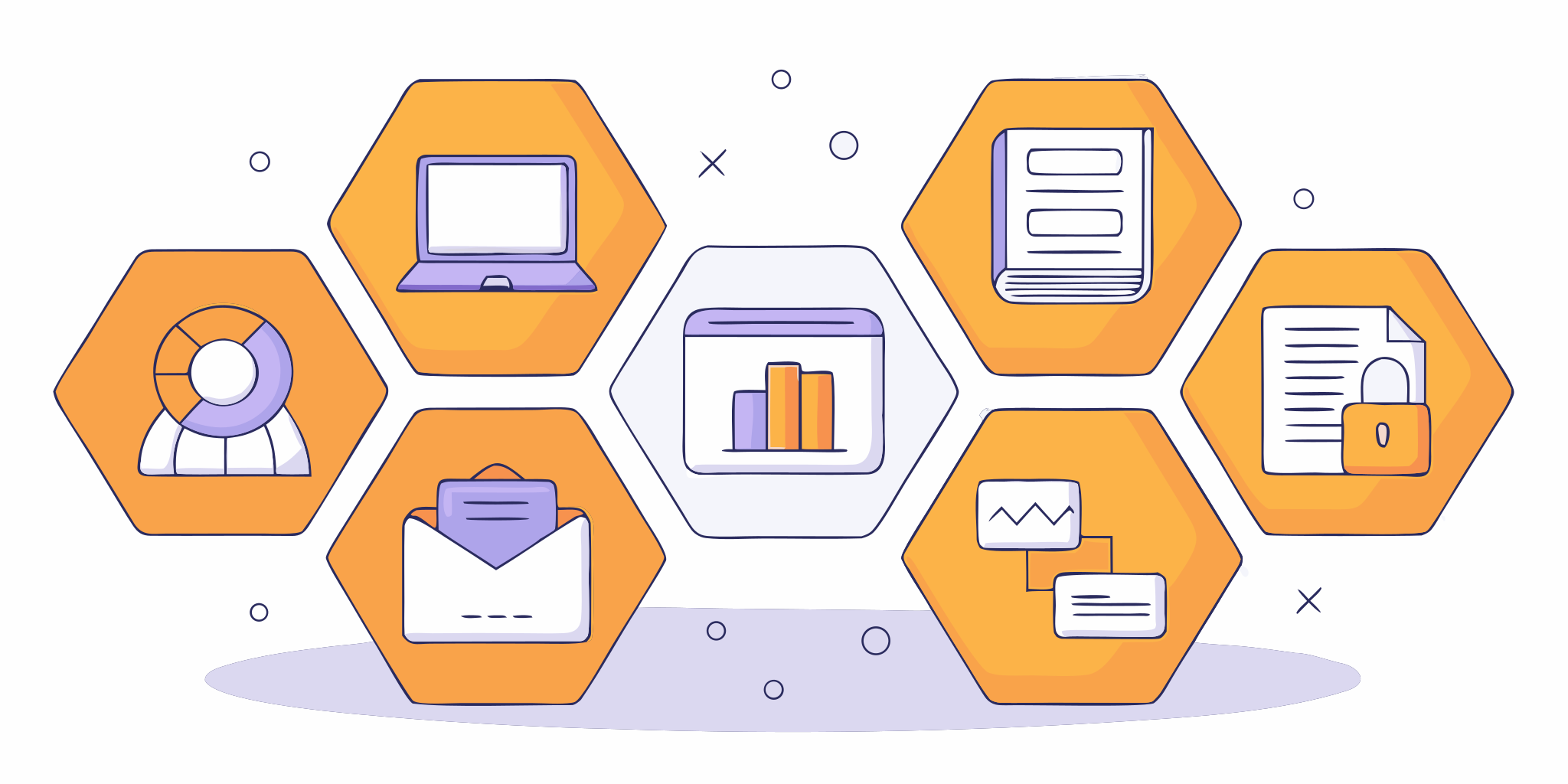
Think of your business as a body. Your marketing, sales, customer service, and operations are all different limbs that need to work together. If they aren’t connected, you can’t move forward effectively. You might have a great marketing campaign bringing in leads, but if your scheduling system is a mess, those leads go nowhere. This is where small business management software acts as the central nervous system. It connects every part of your business, ensuring that information flows seamlessly from one department to the next. This creates a single source of truth, allowing your entire team to work in sync and provide a consistent, professional experience.
Key Takeaways
- Consolidate your tools into one command center: Stop switching between different apps for scheduling, payments, and customer management. An all-in-one platform brings your core operations into a single dashboard, saving you time and preventing important details from getting lost.
- Match software features to your real-world problems: Before you get distracted by a long list of features, identify your biggest daily headaches. Choose a solution with tools, like a strong CRM or integrated payments, that directly solve the challenges your business faces every day.
- Prepare your team for a successful transition: A new tool is only as good as the team using it. Ensure a smooth adoption by creating a clear implementation plan, providing hands-on training, and getting your team involved in the process from the start.
What is Small Business Management Software?
If you’re running a small business, you know the drill. You’re juggling customer emails in one tab, appointments on a paper calendar, invoices in a spreadsheet, and client details on sticky notes. It’s a lot to keep track of, and things can easily fall through the cracks. This is where small business management software comes in. Think of it as a central command center for your entire operation. Instead of using a dozen different tools that don’t talk to each other, this software gives your team one unified platform to manage projects, tasks, and customer interactions.
The main goal is to bring all your essential work into one place, making your processes smoother and your team more efficient. Good software helps you create a single source of truth for all your customer information, so anyone on your team can get the context they need instantly. It automates repetitive tasks, like sending appointment reminders or follow-up emails, freeing you up to focus on the work that actually grows your business.
As your business gets bigger, the right software grows with you. It should be able to handle more clients, more jobs, and more team members without slowing you down. It also connects with the other tools you already use, so you aren’t constantly switching between programs. By consolidating everything from scheduling appointments to processing payments, you get a clear, real-time view of your business’s health, allowing you to make smarter decisions and provide better service.
Must-Have Features in Small Business Software
When you start shopping for small business software, the sheer number of features can feel overwhelming. While every business has unique needs, a few core functions are non-negotiable for streamlining your operations and setting yourself up for growth. Think of these as the foundation of a great system. The right software centralizes these key areas, saving you from jumping between a dozen different apps just to get through your day. Look for a platform that handles these essentials in one place, giving you a clear view of your entire business from a single dashboard.
Customer Relationship Management (CRM)
Think of a CRM as your business’s central memory. It’s where you store and manage all your customer information, from contact details to their complete history with your company. A good CRM tracks every phone call, email, and appointment, giving you the context you need to provide amazing service. Instead of digging through old notes or trying to remember a past conversation, all the information is right there. This allows you to build lasting relationships and understand the full benefits of a CRM for your business, which is key to keeping customers happy and coming back.
Appointment and Scheduling
If you run a service-based business, you know that your calendar is your command center. Effective appointment management software is a game-changer. It lets clients book services online 24/7, which means you can capture business even when you’re closed. It also automates confirmations and reminders, drastically cutting down on no-shows and the time you spend playing phone tag. With a centralized calendar, you can easily manage your team’s schedules, avoid double-bookings, and get a clear picture of your day, week, and month. This frees you up to focus on the actual work instead of the administrative shuffle.
Payments and Financial Management
Getting paid should be the easiest part of your job. Modern business software simplifies this by integrating payment processing directly into your workflow. You can send professional invoices with a click and allow customers to accept payments online through a secure portal. This not only speeds up your cash flow but also provides a more convenient experience for your clients. Many platforms also help you track expenses and generate financial reports, giving you a real-time look at your business’s financial health. When your invoicing and payment tools are connected to the rest of your operations, everything runs more smoothly.
Marketing and Communication Tools
You don’t need a massive marketing department to make a big impact. The right software gives you the tools to connect with your customers effectively. This includes features for sending targeted emails, running promotions, and using SMS text marketing to send timely updates or special offers. It can also help you manage your online presence by requesting and monitoring customer reviews. When these tools are part of your main business platform, you can easily send a message to a specific group of customers—like everyone who had a service last month—without having to export and import lists between different applications.
Reporting and Analytics
How do you know if your business is truly growing? Guesswork won’t cut it. You need data. Good management software comes with reporting and analytics features that turn your daily activities into clear, actionable insights. You can track key metrics like your most profitable services, busiest times of the year, or the effectiveness of your marketing campaigns. These reports help you make smarter decisions about where to focus your efforts and resources. Instead of just hoping for the best, you can confidently plan for the future based on real performance data, identifying opportunities and addressing potential issues before they become major problems.
Integration Capabilities
Your business software shouldn’t be an island. You likely already rely on other tools to run your business, whether it’s your email provider, accounting software, or social media accounts. The best platforms are built to connect with the tools you already use, creating a seamless workflow across your entire tech stack. This ability to integrate means you won’t have to waste time with manual data entry or worry about information being out of sync. When all your systems can “talk” to each other, you reduce errors, improve efficiency, and create a single source of truth for your business operations.
A Look at the Top Small Business Software
Choosing the right software can feel like a huge decision, but it doesn’t have to be overwhelming. The key is finding a platform that fits your specific needs, whether you’re looking for a simple task manager or a complete system to run your entire operation. To help you get started, I’ve broken down some of the most popular options available for small businesses. We’ll look at what makes each one unique so you can find the perfect match for your company.
HubSpark: The All-in-One Platform
HubSpark is designed for the small business owner who wants everything in one place. Instead of juggling multiple apps for different tasks, it combines all your essential operations into a single, intuitive dashboard. You can manage appointments, process payments, and track customer interactions with its built-in CRM. What really sets it apart for local businesses is the focus on growth tools. It includes features to manage your online listings, improve your local SEO, and handle your reputation by gathering reviews. This unified approach saves you time and helps ensure no leads fall through the cracks, making it a powerful command center for your business.
Monday.com: The Work OS
Think of Monday.com as a flexible digital workspace for your team. It’s known as a “Work OS” (Work Operating System) because you can build custom workflows for just about anything, from project management to sales pipelines. It’s great for teams that need to collaborate and see their work in different ways, like on a calendar, a timeline, or a Kanban board. Monday.com helps you bring all your tasks together, connect the other tools you’re already using, and automate repetitive work. If your main goal is to improve how your team works together on projects and daily tasks, this is a solid contender.
Asana: For Task and Project Management
If your biggest challenge is keeping track of who’s doing what by when, Asana is worth a look. It’s a straightforward and user-friendly tool focused purely on task and project management. You can create to-do lists, set deadlines, assign tasks to team members, and see the progress of your projects at a glance. Asana is best for businesses that need a simple way to get organized without the complexity of a full business management suite. It also connects with over 100 other apps, so you can integrate it into your existing workflow pretty easily.
Zoho One: The Comprehensive Suite
Zoho One takes a “suite” approach to business management, offering a bundle of more than 45 different applications that cover everything from finance and HR to marketing and sales. The idea is to provide a tool for every possible business need under one subscription. This can be a great value if you plan to use a wide range of its apps. However, because it’s a collection of individual applications, it might not feel as seamless as a single, unified platform. It’s designed to be the central hub for all your business activities, but it requires you to move between different apps within its ecosystem.
QuickBooks: For Accounting-Focused Management
For decades, QuickBooks has been the go-to software for small business accounting, and for good reason. It excels at everything related to money management: tracking income and expenses, sending invoices, managing payroll, and preparing for tax time. While it has expanded to include other features like time tracking and inventory management, its core strength remains in its financial tools. If your primary need is to get a firm handle on your finances and bookkeeping, QuickBooks is an industry-standard choice. Many other business platforms also offer integrations with it, recognizing its importance in the financial side of operations.
Striven: The Business Management Software
Striven is another all-in-one platform that aims to connect every part of your business, from accounting and CRM to projects and inventory. Its goal is to help you modernize your workflow by bringing disparate functions into a single system. Striven puts a strong emphasis on being easy to use, which can help reduce the time it takes to get your team comfortable with a new system. It’s built to be flexible and scalable, offering different plans to fit various budgets. For businesses looking to replace a patchwork of older software with one connected solution, Striven presents a compelling option.
HubSpot CRM: For Free Customer Management
HubSpot is famous for its powerful free CRM, which makes it an excellent starting point for businesses focused on sales and marketing. The free platform gives you the tools to manage your customer relationships, track deals, and communicate with leads through features like live chat and email tracking. It’s a fantastic way to organize your contacts and sales pipeline without any initial investment. While the CRM is free, HubSpot operates on a tiered model. To get more advanced marketing, sales, or service features—or to manage other parts of your business—you’ll need to upgrade to their paid “Hubs.”
How Much Does Business Management Software Cost?
Let’s talk about the bottom line. For any small business owner, the cost of new software is a huge consideration. The good news is that there’s a solution for almost every budget. The tricky part is that pricing isn’t always straightforward. You’ll find everything from free-forever plans to tiered subscriptions with various add-ons.
Most business management software operates on a subscription model, typically charging a monthly or annual fee per user. This structure allows you to scale your investment as your team grows. However, the advertised price often doesn’t tell the whole story. It’s important to look beyond the sticker price and understand what you’re truly getting. You’ll need to consider potential setup fees, the cost of essential add-ons, and whether a plan’s limits will force you into a pricey upgrade sooner than you expect. By breaking down the common pricing structures, you can find a tool that fits your needs without surprising your bank account.
Understanding Free Plans and Their Limits
The word “free” is music to a business owner’s ears, but it’s important to know what you’re signing up for. Some platforms offer a free trial, which is essentially a short-term test drive of a paid plan. Others provide a free-forever plan that never expires. These can be fantastic starting points, especially if you’re just beginning to organize your operations. A free customer relationship management (CRM) tool can help you manage contacts without an initial investment.
However, free plans always come with limitations. You might find caps on the number of users, contacts, or projects you can manage. Advanced features are almost always reserved for paid tiers. Think of a free plan as a solid foundation—it’s perfect for getting started, but be prepared to upgrade as your business grows and your needs become more complex.
Subscription Models and Pricing Tiers
The most common pricing structure you’ll encounter is the subscription model, usually billed per user, per month. Prices can range anywhere from $10 to over $50 per user, with many platforms offering a discount if you pay annually. These subscriptions are typically broken into tiers—think Basic, Pro, and Enterprise levels. As you move up the tiers, you unlock more advanced features, higher usage limits, and better support.
When evaluating these tiers, look closely at the feature list. Don’t just go for the cheapest option without making sure it includes your must-haves, like specific payment solutions or scheduling tools. It’s also wise to consider your future needs. A plan that works for you today might feel restrictive in a year, so choose a provider that offers a clear and affordable path to scale.
Watching Out for Hidden Costs
The price you see on the website isn’t always the final price you’ll pay. Hidden costs can pop up and quickly inflate your budget if you’re not careful. Some companies charge one-time implementation or data migration fees to get you set up. Others lock critical features, like accounting software integrations or advanced reputation management tools, behind their most expensive plans.
Pay close attention to the “per-user” fee. A low monthly cost can seem appealing, but it can add up fast as you add team members. Some platforms even have minimum user requirements. Before you commit, ask about any additional fees for setup, support, or essential add-ons. A truly all-in-one platform often provides more value by including these features in a single, transparent price.
Pros and Cons of Popular Software Options
Choosing a new software can feel a lot like shopping for a new car. They all promise to get you where you need to go, but the experience behind the wheel can be wildly different. Some are built for speed, others for comfort, and some try to do a little bit of everything. The key is to look past the shiny exterior and dig into the details that matter for your daily operations.
When you’re comparing options, it’s helpful to break it down into three main areas: the specific features they offer, how easy the software is for your team to actually use, and whether it can keep up as your business grows. A tool that seems perfect today might become a roadblock in a year if it can’t scale with you. Let’s walk through what to look for in each of these categories so you can make a choice you’ll be happy with for the long haul.
Comparing Key Features
Every software has its specialty. Project management tools like monday.com and Asana are fantastic for organizing tasks and team workflows. Monday.com shines with its visual approach, offering Kanban boards and custom dashboards that make it easy to see who’s doing what. Asana is a powerhouse for automation and offers multiple ways to view projects, though its more advanced features can take some time to master. Trello is famous for its simple, card-based system, which is great for straightforward projects but can feel limited if you need detailed reporting.
The main drawback of these specialized tools is that they only solve one piece of the puzzle. You still need separate systems for your customer relationship management (CRM), invoicing, and marketing. Juggling multiple apps can lead to disconnected data and extra work for your team.
Ease of Use and the Learning Curve
A new tool is only effective if your team actually uses it. A complicated system with a steep learning curve can lead to frustration and slow adoption, costing you valuable time and money. Some platforms, like Striven, are known for being intuitive and easy for everyone to pick up, backed by strong customer support. Others, like Zoho One, rely on a unified design where all the apps work together smoothly, which simplifies the learning process.
No matter which software you choose, having a clear rollout plan is essential. But an all-in-one platform often has a natural advantage here. When everything from appointments to payments is in one place with a consistent interface, your team only has to learn one system, not five.
Will It Grow With Your Business?
The software you choose today should be able to support you tomorrow. Think about your five-year plan. Will you be adding new team members, expanding your services, or opening new locations? Your business management software needs to be able to scale with you. Platforms like monday.com and Zoho One are built to handle more work and more users as your company expands.
The last thing you want is to outgrow your software and have to go through the entire selection and implementation process all over again. This is where a comprehensive platform truly pays off. By starting with a system that can handle more work as you grow, you’re investing in a long-term partner for your business, not just a short-term fix.
Common Challenges When Choosing Your Software
Choosing the right software can feel like a huge decision, and it is. You’re not just buying a tool; you’re investing in the future of your business operations. It’s completely normal to hit a few bumps along the way. Many business owners find themselves juggling feature lists, pricing tiers, and team opinions, all while trying to run their company. The key is to anticipate these challenges so you can face them head-on with a clear strategy. From defining what you truly need to getting your team excited about a new system, let’s walk through the most common hurdles you might encounter.
Pinpointing Your Business’s Needs
Before you even look at a demo, the biggest challenge is often figuring out what your business actually needs. It’s easy to get distracted by flashy features that sound great but don’t solve your core problems. A great business management tool should act as a central hub, pulling all the different parts of your work into one place. Start by making a list of your daily pain points. Are you spending too much time booking appointments? Is customer information scattered across spreadsheets? Identifying these specific issues will help you find a solution that offers real value, like a robust customer relationship management (CRM) system that truly supports your team.
Sticking to a Budget and Proving ROI
As a small business owner, every dollar counts. It can be tough to justify a new monthly expense without a clear idea of the return on investment (ROI). The challenge isn’t just finding software that fits your budget but also finding one that pays for itself over time. Look for platforms that automate repetitive tasks, reduce manual errors, and provide clear reports on what’s working. For example, if a tool can streamline your payment solutions, you save time and improve cash flow. This makes it much easier to see the software as a revenue-generating asset rather than just another cost.
Integrating With Your Current Tools
You’ve likely already got a few tools you rely on, whether it’s for email, accounting, or team chat. The last thing you want is another piece of software that doesn’t play well with others, forcing you to constantly switch between tabs and manually transfer data. The ideal solution should either integrate seamlessly with the apps you already use or, even better, consolidate them. A platform with unified messaging and other built-in features can eliminate the need for multiple subscriptions, simplifying your workflow and reducing complexity for your entire team. This creates a more efficient and connected work environment.
Getting Your Team On Board
A new software is only effective if your team actually uses it. One of the most common hurdles is employee resistance to change. If a platform is complicated or unintuitive, your team will likely revert to their old ways of doing things. The best software is easy to learn and clearly makes their jobs easier. To ensure a smooth transition, involve your team in the selection process and create a clear plan for training. When your team understands how a new tool helps them succeed, they’re far more likely to embrace it. A user-friendly platform like HubSpark is designed to be straightforward, helping you get everyone on board quickly.
How to Choose the Right Software for Your Business
Picking the right software can feel like a huge decision, because it is. This tool will become the central hub for your daily operations, so it’s worth taking the time to get it right. Instead of getting overwhelmed by flashy features and endless options, you can simplify the process by focusing on three core areas: your specific business needs, your budget and future goals, and the exact features that will make your life easier.
Think of this as a checklist to find a partner for your business—a tool that works with you, not against you. A platform that streamlines your workflow should free you up to focus on what you do best, whether that’s fixing a leaky pipe or winning a case for a client. By systematically thinking through your industry, finances, and day-to-day tasks, you can confidently select a software that not only solves your current problems but also supports you as you grow. Let’s walk through how to make that choice.
Assess Your Business Size and Industry
The best software for a local bakery isn’t the best software for a plumbing company. The first step is to look for a solution built with your industry in mind. A roofer needs robust scheduling, dispatching, and on-the-go invoicing, while a marketing agency might prioritize project management and client communication tools. Make a list of the unique challenges you face. Do you manage a mobile workforce? Do you need to maintain specific certifications? The right software will have features that address these specific pain points. A platform that understands the demands of home services, for example, will offer stronger local SEO tools to help you get found by customers in your service area.
Evaluate Your Budget and Growth Plans
It’s easy to get sticker shock, but the price tag is only part of the story. Consider the total value a platform provides. How much time will it save you and your team on administrative tasks? A good system automates repetitive work and provides clear reports that help you make smarter business decisions. Look for a subscription model that fits your current budget but also offers the flexibility to scale. Your business won’t stay the same size forever, so choose a tool that can grow with you. A solid customer relationship management (CRM) system, for instance, is essential for managing an expanding client base without letting anyone fall through the cracks.
Match Software Features to Your Operations
Before you even look at a demo, map out your daily workflow. What are the essential tasks you perform every day? This could include scheduling appointments, sending quotes, processing payments, and following up with customers. Your goal is to find a platform that brings all these functions into one central place. Juggling multiple apps for different tasks is inefficient and can lead to costly mistakes. Look for an all-in-one solution that provides a unified messaging inbox for texts, emails, and calls, and integrates payments seamlessly. This creates a single source of truth for your business, making it easier for your team to collaborate and stay on the same page.
How to Successfully Implement Your New Software
Choosing the right software is a huge step, but the real work begins when you bring it into your daily operations. A successful rollout isn’t about flipping a switch overnight; it’s about a thoughtful process that gets your team on board and sets you up for long-term wins. A great implementation ensures the software actually makes your life easier and helps your business grow, rather than becoming another complicated tool nobody uses. By planning your transition, training your team effectively, and measuring your results, you can make sure your investment pays off.
Plan Your Transition
A smooth transition starts with a solid plan. Having a clear roadmap for introducing new software makes it much easier for your team to adopt it and stick with it. Start by setting a realistic timeline, breaking the process into manageable phases like data migration, training, and launch. Communicate with your team early and often about why you’re making the change and how it will benefit them. A key part of your plan should be figuring out how to move your existing data, like your customer list and appointment history, into the new system. A well-managed CRM is the heart of your business, so getting this step right is critical.
Train Your Team for a Smooth Rollout
Your team’s buy-in is everything. The best way to get it is by making them feel confident using the new software. Instead of just handing them a manual, identify a few enthusiastic team members to become your “software champions.” Train them first, and they can help their colleagues get up to speed. Provide hands-on training sessions that walk through the daily tasks they’ll be performing, whether it’s scheduling jobs through the appointment management tool or sending out client communications. Creating simple cheat sheets or short video tutorials can also be incredibly helpful for reinforcing what they’ve learned and answering quick questions down the line.
Measure Your Success and ROI
How do you know if the new software is actually working? By measuring it. Before you launch, set clear, specific goals. Do you want to reduce the time spent on invoicing by 20%? Or maybe increase your 5-star ratings through better reviews and reputation management? Defining what success looks like from the start gives you a benchmark to measure against. Regularly check in with your team for feedback on what’s working and what isn’t. After the first month and first quarter, review your progress against your goals. This not only helps you see the return on your investment but also shows you where you can make small adjustments for even better results.
Frequently Asked Questions
Do I really need an all-in-one platform, or can I just use separate tools for different tasks? While using separate, specialized tools can work for a while, it often creates more work in the long run. When your scheduling app doesn’t talk to your payment processor or your customer list, you end up spending a lot of time manually transferring information and trying to piece together a complete picture of your business. An all-in-one platform brings everything under one roof, which means your data is always in sync and your team only has to learn one system. This saves time, reduces errors, and gives you a much clearer view of your operations.
I’m just starting out. When is the right time to invest in business management software? The best time to invest is before you feel completely overwhelmed. If you find yourself losing track of customer details, spending hours on administrative tasks like scheduling and invoicing, or feeling like opportunities are slipping through the cracks, it’s a clear sign you’re ready. Starting with a scalable platform early on helps you build good habits and create organized processes from the beginning, making it much easier to grow without the chaos.
With so many features available, what are the absolute essentials I should look for first? Focus on the features that solve your biggest daily headaches. For most service-based businesses, this means starting with a solid customer relationship management (CRM) system to keep track of all your client interactions. You’ll also want streamlined appointment scheduling to cut down on back-and-forth communication and integrated payment processing to make getting paid faster and easier. These three pillars form the foundation of a more efficient business.
How can I be sure my team will actually use the new software? Getting your team on board is crucial, and it starts with choosing a system that is genuinely easy to use. Involve them in the decision-making process by asking for their input on what would make their jobs easier. Once you’ve chosen a platform, plan for hands-on training that focuses on their specific daily tasks. When your team sees that the new software simplifies their work instead of complicating it, they’ll be much more likely to embrace it.
What’s the biggest mistake to avoid when choosing a new software? The most common mistake is choosing a tool based on a single flashy feature or the lowest price tag, without considering your long-term needs. A cheap plan might seem great now, but if it can’t grow with your business, you’ll be forced to switch systems in a year or two, which is a massive headache. Instead, look for a flexible platform that can support you not just today, but also as you add more clients, services, and team members in the future.

I am a serial entrepreneur with a 20+ year background in marketing & advertising, with a specific focus on SEO/online/digital marketing. I have a passion for helping owners of small & medium sized businesses grow rapidly through organic search engine optimization & digital marketing. I am blessed to lead a team of some of the most hard working, brilliant, and passionate team to help all of our clients reach their revenue goals!
 App Today!